


PayPal - Pay, Send, Save
4.2439.32K Reviews
App Specs
- Version
- 8.107.0
- Updated On
- License
- Free
- Downloads
- 100,000,000+
- Developer
- PayPal Mobile
- Categories
- Finance
- Platform
- Android, iOS
Screenshots
 Analysis by AppCompare
Hey there! So, I've been playing around with PayPal - Pay, Send, Save, and let me tell you, it's been quite the ride. If you’re like me and love simplifying your financial life, this app is like having a mini bank in your pocket.
Where it fits in a normal day
I find the app most useful when a payment needs to happen between people who already use PayPal, or when I want one familiar place to check activity and handle a purchase. For example, after lunch with friends, I can settle my share without passing cash around. The practical advantage is less about replacing every financial tool and more about keeping a common payment task quick and easy.
That distinction matters. PayPal is a finance app from PayPal Mobile, and its central appeal is moving money and paying through a service many people already recognize. I would not treat it as a complete replacement for a bank account, a detailed household budget, or a dedicated savings plan. It works best as a convenient layer alongside those tools, with the user still checking balances and transactions carefully.
Guides and Analysis on PayPal - Pay, Send, Save
Getting Started with PayPal
First things first, setting up PayPal - Pay, Send, Save is a breeze. You just download the app, sign in, or create an account if you’re new to PayPal. It’s pretty straightforward, and you’ll be up and running in no time. The interface is user-friendly, with a sleek design that makes navigation super easy. You don’t need to be a tech wizard to figure it out, which is always a win in my book.
A sensible first setup
After signing in, I’d take a moment to review the account details and payment methods rather than sending money immediately. Check that the bank account or card you intend to use is the one you expect, and make sure you can recognize the funding choice before confirming a transaction. This small habit is especially useful if you keep more than one payment method connected: convenience is only helpful when the source of a payment is clear.
I would also make a routine of checking the recipient’s details before sending. A familiar name is not always enough if several contacts look similar, and a quick pause at the confirmation step is better than trying to untangle a mistaken payment later. For recurring personal situations, such as splitting shared costs with the same household, agreeing on how to label or describe payments can make the activity list easier to understand later.
Features That Stand Out
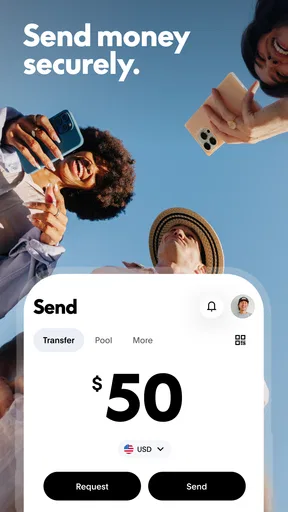
One of the coolest features is the ability to send and receive money almost instantly. Whether you’re splitting a bill with friends or sending a birthday gift to family, it’s just a few taps away. And speaking of convenience, the app integrates well with your bank accounts and credit cards, making transactions seamless.
Worth Reading Before You Choose

Switching to Android Auto Means Rethinking Your Driving Routine

Google Calendar Makes a Crowded Week Easier to Manage

Baby Panda World Brings Quick Play to Modern Phones, but Its Game Library Feels Busy

ESPN’s Live Game View Makes Following Close Games Easier

QuizzLand Review: A Good Fit for Short Trivia Breaks, Not Every Player

Basketball Stars: Multiplayer Is Fast, but Can It Recover When Matches Go Wrong?
Another feature I love is the savings aspect. You can set money aside in a separate area, which is fantastic if you’re trying to budget or save up for something special. It’s like having a digital piggy bank that’s accessible anytime.
Small habits that make payments smoother
The best way I’ve found to use a payment app is to make the common task predictable. Before meeting friends, I can check that I’m signed in and know which payment method I plan to use. After a shared purchase, I send the amount while the details are still fresh, then review the activity so I can confirm it appears as expected. That simple sequence avoids relying on memory days later.
For saving, I’d give the separate area a specific purpose instead of treating it as spare money. A target such as a planned purchase or an upcoming expense is easier to keep distinct from everyday spending. I’d still compare the amount set aside with my main budget; a separate balance can help organize money, but it does not by itself decide what is affordable or replace a full view of bills and obligations.
Shopping, payment choices, and trade-offs
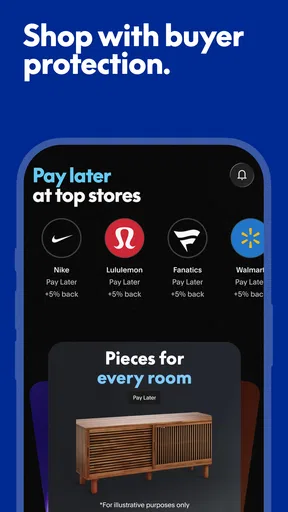
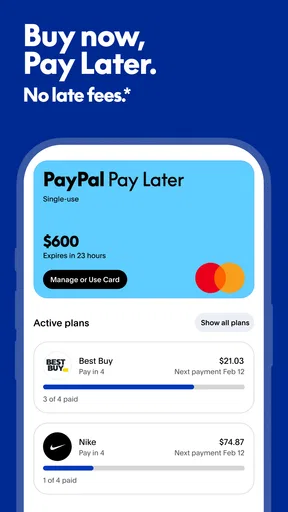
The app’s shopping and payment role can be useful when PayPal is offered at checkout, because I can use a familiar account rather than entering payment details anew at every merchant. The store summary also points to Pay in 4, which may suit a purchase someone wants to divide into payments. I would consider that option deliberately, not as extra spending room: installments still belong in a budget, and I’d check the terms shown for a particular purchase before choosing them.
Compared with a bank’s own app, PayPal is more focused on payments across people and merchants than on showing a complete picture of my finances. Compared with cash, it is easier for remote transfers but less tangible, so it takes a little more attention to keep track of small sends. And compared with another payment service, its usefulness often depends on whether the person or checkout I need to pay accepts it. If my priority were detailed expense tracking or managing all my accounts together, I’d use a tool built specifically for that job as well.
Security and Peace of Mind
Security is a big deal for me, and PayPal doesn’t disappoint. They have top-notch encryption and security protocols, so your financial info is safe. Plus, there’s buyer protection for eligible purchases, which adds an extra layer of security. It’s comforting to know that if something goes wrong with a purchase, you’ve got some backup.
I still treat protection as a backstop, not a reason to skip ordinary care. I check that I’m paying the intended person or merchant, review the amount before confirming, and look through recent activity when something seems unfamiliar. Buyer protection applies to eligible purchases, so I would read the relevant terms for the specific transaction rather than assume every payment is covered. That is a useful distinction between paying a merchant and sending money to someone I know.
What to expect from the app
PayPal is free to download and is rated for Everyone, so it is accessible to a broad range of users; that does not mean every transaction or service necessarily has the same terms. I’d check the details shown in the app before confirming a payment, especially when choosing a funding source or an installment option. The current version is 8.97.0 and requires Android 7.0 or later, which helps Android users judge basic compatibility before installing.
Its scale is reassuring to some users: it has over 100 million installs, around 3.6 million ratings, and a 4.2 average, with about 431,000 written reviews. Those figures suggest a widely used service, but they cannot tell me whether a particular payment method, recipient, or purchase will suit my needs. I’d judge it by my own usual transactions and by how clearly I can review what I’ve sent and received.
Who should use it—and who may not need it
I’d recommend trying it if you regularly pay friends or family remotely, shop with merchants that accept PayPal, or want a convenient way to keep some money set aside. It is also a reasonable choice for someone who values a familiar account-based checkout and does not want every small personal payment to require cash or a bank transfer.
I would skip it as my main solution if I rarely make digital payments, if the people I need to pay use a different service, or if I want one app to provide deep budgeting and a full financial overview. A bank app may be a better fit for checking account activity and handling bank-specific tasks; a budgeting app may be better for tracking categories and planning spending. There is no need to add another financial account just because it is popular.
Why You’ll Love It
In a world where everything is going digital, having a reliable app like PayPal makes life a lot easier. It’s not just about paying and sending money; it’s about managing your finances in a way that’s simple and efficient. After using it for a while, I can’t imagine going back to the old ways of handling money.
If you’re someone who values convenience, security, and a bit of savings on the side, then this app is definitely worth a try. It fits perfectly into a busy lifestyle and makes managing money feel less like a chore.
For me, the strongest results come from a repeatable routine: check the recipient, confirm the payment source, review the amount, then glance at the activity afterward. Those steps are not complicated, but they make a quick tap feel more deliberate. If a transaction is unfamiliar, I slow down instead of assuming the app’s convenience means I should accept every prompt without reading it.
In conclusion, PayPal - Pay, Send, Save is more than just an app; it’s a handy tool for anyone looking to streamline their financial activities. So go ahead, give it a shot, and see how it can make your life a little bit easier.
Pros
- Wide acceptance for online payments
- Secure transactions with buyer protection
- Instant money transfers to friends
- User-friendly interface and navigation
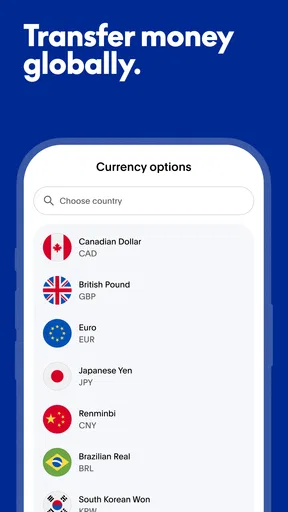
- Supports multiple currencies
Cons
- High fees for international transfers
- Customer support can be slow
- Account verification may take time
- Limited currency conversion options
- Occasional app glitches reported
FAQs for PayPal - Pay, Send, Save
What features does the PayPal app offer for managing finances?
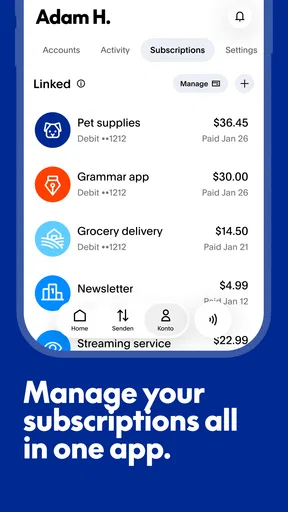
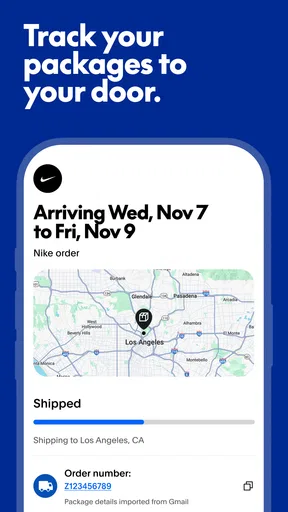
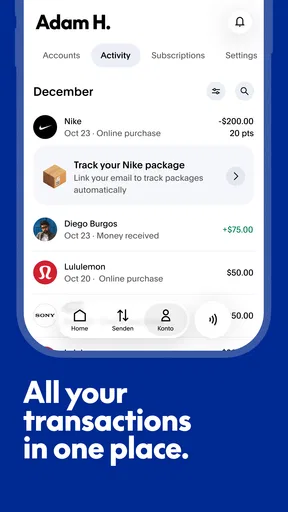
The PayPal app provides a comprehensive suite of features for managing your finances. You can send and receive money, make payments online or in-person, and save money with PayPal's savings tools. Additionally, it offers facilities for currency conversions, managing subscriptions, and tracking your transaction history, all within a secure environment.
Is it safe to use the PayPal app for transactions?
Yes, the PayPal app is designed with security as a priority. It uses advanced encryption technology to protect your financial information. Plus, there is 24/7 monitoring for fraudulent activities and the option to set up two-factor authentication. PayPal also offers purchase protection on eligible transactions, ensuring a safe user experience.
Can I use PayPal without linking a bank account or credit card?
While linking a bank account or credit card enhances functionality, you can still use PayPal with funds received from others. However, to make purchases or withdraw funds, linking a bank account or card is necessary. Without a linked account, your usage might be limited to receiving and holding funds in your PayPal balance.
Are there any fees associated with using the PayPal app?
PayPal is generally free for personal use, such as sending money to friends and family. However, fees may apply for currency conversions, instant transfers to bank accounts, or receiving money for goods and services. Business transactions may incur fees, so it's advisable to review PayPal's fee structure for detailed information.
How can I resolve issues with my PayPal account through the app?
The PayPal app provides several support options for resolving account issues. Users can access the Help Center for FAQs, use the Resolution Center for disputes, and chat with customer service within the app. For urgent matters, contacting PayPal's customer service directly through the app offers a quick way to address concerns.


